


Notepad - simple notes
4.516.20K Reviews
App Specs
- Version
- 1.44.0
- Updated On
- License
- Free
- Downloads
- 10,000,000+
- Developer
- atomczak
- Categories
- Productivity
- Platform
- Android
Screenshots
 Analysis by AppCompare
I reach for a notes app when I need to capture something quickly, not when I want another complicated system to maintain. Notepad - Simple Notes is built around that kind of use: it gives me a place for passing thoughts, lists, and longer pieces of text without making me navigate a crowded workspace. That focus is appealing, though it also means the app suits some habits far better than others.
A modest tool with a clear purpose
This is a free productivity app from atomczak, aimed at people who want a straightforward text notepad on their phone. It has been available since February 23, 2017, and its current version is 1.44.0. The long-running presence and broad uptake suggest it has found a steady audience: it has over 10 million installs, with an average rating of 4.5 from around 88,000 ratings. It is rated for everyone, and runs on Android 6.0 or later.
Those figures are useful context, but they don’t tell me whether it fits a particular routine. The more important question is whether I want notes to stay simple. If I’m collecting snippets, writing a shopping list, or saving a paragraph before I forget it, a focused notepad can be more comfortable than opening a larger app designed around notebooks, documents, or collaboration.
What its long-running development means
The release history gives one confirmed point of comparison: the app began in 2017 and is now at version 1.44.0. That shows it has continued to receive numbered versions over time, but a version number by itself doesn’t tell me which features changed or how the interface evolved. I wouldn’t treat it as evidence of any particular recent redesign or new capability.
For an existing user, the practical takeaway is to judge the app by the version currently installed and by the way it handles your own notes, rather than assuming that age or a higher version number guarantees a specific improvement. If you already use it comfortably, there’s no need to change your workflow just because the version has advanced. If you’re new, the current experience is the one to evaluate before deciding where your important notes belong.
Where a simple notepad fits in a real day
I find this kind of app most useful when an idea arrives at an inconvenient moment. Imagine I’m leaving home and remember that I need a few things from the shop. I can create a short list, use a color to make it easier to spot later, and pin it if I expect to return to it repeatedly. That is a small, concrete job, and a small tool is often the right fit.
It can also work as a temporary holding place for text I need to shape later: a message draft, a rough outline, or details I want close at hand. I’d keep sensitive account credentials or the only copy of an important document somewhere more appropriate, even though note locking is available. A password-protected note can add a useful barrier, but I wouldn’t confuse that with a complete backup or document-management plan.
Worth Reading Before You Choose

EA SPORTS FC Mobile 26 Is a Bigger Football Game, but It Takes Time

Flipboard Shows What News Apps Must Do Beyond the Feed

Switching to Android Auto Means Rethinking Your Driving Routine

Google Calendar Makes a Crowded Week Easier to Manage

Ludo King Makes the Most of the Minutes Between Plans

Baby Panda World Brings Quick Play to Modern Phones, but Its Game Library Feels Busy
Who should choose something else
The same restraint that makes this app easy to approach can become limiting if I expect notes to behave like a project database. People who need shared editing, rich formatting, attachment-heavy pages, or a carefully nested archive should compare it with fuller note-taking tools. Those apps can be better when several people need to work on the same material or when a note is really a research file with many parts.
I’d also think about how I plan to find older notes. Color and pinning can help surface a few important items, but they are not a substitute for a filing system when a collection grows large. Before moving years of notes into any app, I’d test my own retrieval habits: can I quickly find a detail by remembering its wording, or do I rely on folders, tags, or links between topics? If the latter, a more structured alternative may save frustration.
First Impressions and User Interface
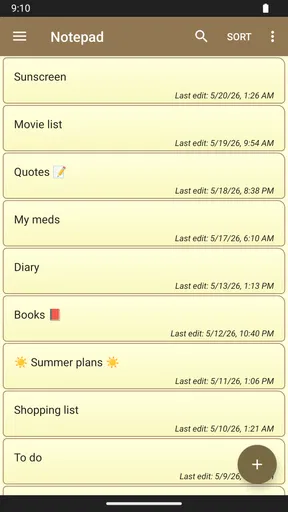
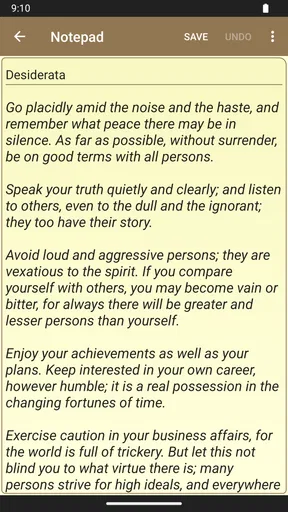
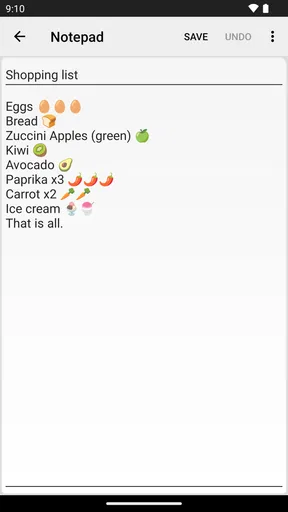
As soon as you fire up Notepad - Simple Notes, you're greeted with an interface that’s as clean as a whistle. There’s no clutter to distract you, just a simple screen inviting you to jot down your thoughts. The app sticks to what it knows best: simplicity. The minimalist design is not just a stylistic choice; it genuinely makes navigation a breeze. You don’t have to fiddle around to find what you need, which is a breath of fresh air compared to some of the other bloated apps out there.
Creating and Organizing Notes
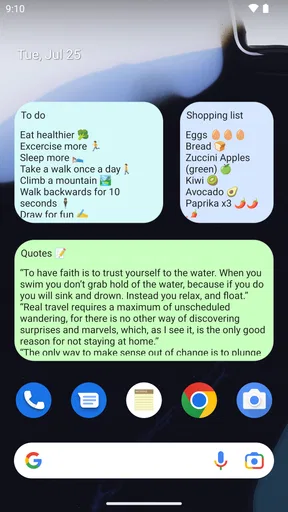
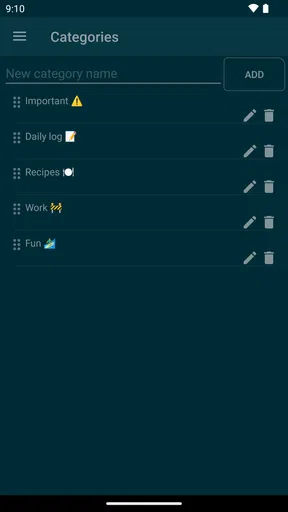
Creating a new note is as easy as pie. Just tap the plus button, and you’re off. The app allows you to type out your thoughts, ideas, or grocery lists without any hassle. What I love about it is the ability to organize notes by color coding. It might sound like a small feature, but it makes a huge difference when you’re trying to locate that one elusive note in a sea of text. The color-coded notes are like little beacons calling out to you.
Another nifty feature is the ability to pin notes. If you’ve got something important, like a must-remember deadline or an inspirational quote, pinning it keeps it at the forefront of your mind every time you open the app. Trust me, it’s a game-changer for the forgetful among us.
Additional Features
Even though simplicity is the name of the game here, the app includes a few extra features that enhance its functionality without complicating things. For instance, you can set reminders for your notes. This means your app can nudge you about that meeting or remind you to pick up milk on your way home. The reminder feature is seamless and integrates well with the overall user-friendly design.
Security is another aspect where this app scores some points. You can lock your notes with a password, ensuring that your personal musings or sensitive information remain just that—personal. In a world where data privacy is paramount, this is a welcome addition.
Performance and Usability
In terms of performance, the app runs like a charm. It’s quick, responsive, and doesn’t lag, even when you’re juggling multiple notes. And because it’s lightweight, it won’t hog your phone’s resources. This makes it perfect for older devices that might struggle with more resource-intensive apps.
The usability is just as impressive. The app is intuitive enough that you probably won’t even need to look at a tutorial to figure things out. It’s designed in a way that even the least tech-savvy among us can use it without breaking a sweat.
Practical habits that make it work better
My most useful tip is to give colors a consistent meaning instead of choosing them randomly. For example, I might use one color for errands, another for ideas, and leave uncolored notes for text I’m still drafting. The point is not to build an elaborate taxonomy; it’s to create a visual cue I can remember without thinking. If every note gets a different color, the distinction quickly loses value.
Pinning works best when I treat it as a short-term shelf, not a permanent archive. A note that stays pinned after its deadline or task has passed makes the top of the list less useful. I’d review pinned items when I open the app and unpin anything that no longer needs attention. For reminders, I’d reserve them for something that needs a prompt at a particular time, rather than adding one to every note and turning a quiet notepad into another source of alerts.
For longer writing, I’d use separate notes for separate purposes rather than letting one catch-all page become a difficult-to-scan document. A running note can be handy for a repeated routine, but splitting a travel checklist from a draft message or a project outline makes later retrieval easier. This is a low-effort way to compensate for the limits of a lightweight organizer without forcing a folder system onto every thought.
Choosing between a notepad and a larger notes app
Compared with a paper notebook, this app is easier to keep with me and gives me pinning, color cues, and reminders. Paper still has advantages when I want to sketch freely, write without looking at a screen, or keep a physical record. Compared with a full-featured digital notebook, this app asks less of me: I can open it and type rather than deciding which workspace, page type, or filing structure to use. The trade-off is that richer tools are usually a better home for connected research, shared plans, and documents that need substantial formatting.
I would not assume that a note is automatically safe just because it is on a phone. If a note matters, I’d make sure I have another copy using a method I trust, especially before changing devices or removing the app. Password locking is useful for keeping casual access away, but privacy and preservation are separate concerns. That distinction is worth remembering if I’m storing anything I would be upset to lose.
Questions worth settling before relying on it
Can I use it for quick lists and reminders? Yes, those are natural jobs for a simple notepad, and the reminder and pinning options help bring selected items back to my attention. Is it suitable for a shared household list or team planning? I would choose a tool designed for collaboration if several people need to edit the same information. Is it the right place for sensitive records? The lock can help, but I’d avoid treating it as a vault for critical credentials or as a guarantee that a note is backed up.
What about someone who wants a long-term knowledge base? I’d first test how easily I can locate older notes after the collection grows. If I need nested organization, links, or robust document handling, another app is likely a better match. On the other hand, if I mostly need quick text capture and a few visible priorities, the limited scope may be exactly what keeps the app useful instead of burdensome.
Final Thoughts
So, is Notepad - Simple Notes the app for you? If you’re looking for a robust, feature-packed notes app, you might want to look elsewhere. But if you’re after something that’s straightforward and does the basics exceptionally well, this app is definitely worth a shot. It’s ideal for someone who values simplicity and efficiency over bells and whistles.
In a nutshell, Notepad - Simple Notes is like that reliable friend who’s always there when you need them. It might not have all the flashy features of its competitors, but it doesn’t need them. It does exactly what it says on the tin, and sometimes, that’s all you really need.
Pros
- User-friendly interface for quick notes.
- Lightweight
- ensuring fast performance.
- No ads
- offering an uninterrupted experience.
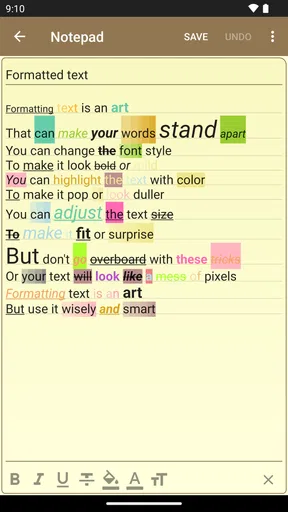
- Supports text formatting for better organization.
- Easy backup and restore options.
Cons
- Lacks advanced features for power users.
- No collaboration tools for shared notes.
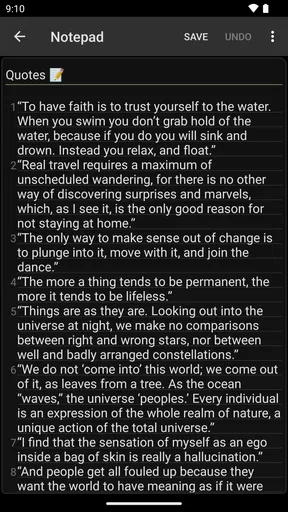
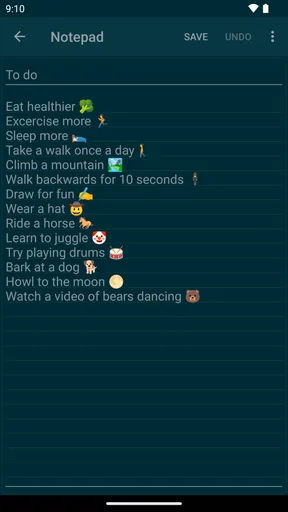
- Limited customization options for themes.
- No cloud sync with other devices.
- Doesn't support media attachments.
FAQs for Notepad - simple notes
What features does Notepad - simple notes offer?
Notepad - simple notes provides a straightforward interface for creating and managing notes. Users can organize notes with tags, set reminders, and utilize a search function to quickly locate specific notes. It also offers customizable themes and font sizes to enhance the user experience, making it a versatile tool for everyday note-taking.
Is Notepad - simple notes free to use?
Yes, Notepad - simple notes is free to download and use. However, it may include optional in-app purchases, such as premium features or ad removal options, to enhance functionality. These purchases are entirely optional, and the basic version is fully functional for standard note-taking needs.
Can I sync my notes across multiple devices?
Notepad - simple notes supports cloud synchronization, allowing users to sync their notes across multiple devices. This feature ensures that your notes are always accessible and up-to-date, whether you're using your phone, tablet, or another device. Make sure to enable synchronization in the app settings.
How secure are my notes on Notepad - simple notes?
The app offers basic security features, such as passcode protection for individual notes and optional encryption for added security. Users should ensure their devices are secure and use the app’s security features to protect sensitive information. Regular updates also help maintain security standards.
Does Notepad - simple notes require an internet connection?
Notepad - simple notes can function offline for basic note-taking tasks. However, an internet connection is required for features like cloud synchronization and backing up notes. This ensures that your notes are safely stored and can be accessed from multiple devices whenever needed.


